Cómo crear tarjetas didácticas personalizadas con tus propias fotos
How to Make Personalized Flash Cards with Your Own Photos
TL;DR: Personalized flash cards beat generic ones — a toddler connects instantly to a real photo of their own dog, car, or family. Baby's First Cards lets you build custom cards from your own photos and voice recordings in minutes; here's the step-by-step.
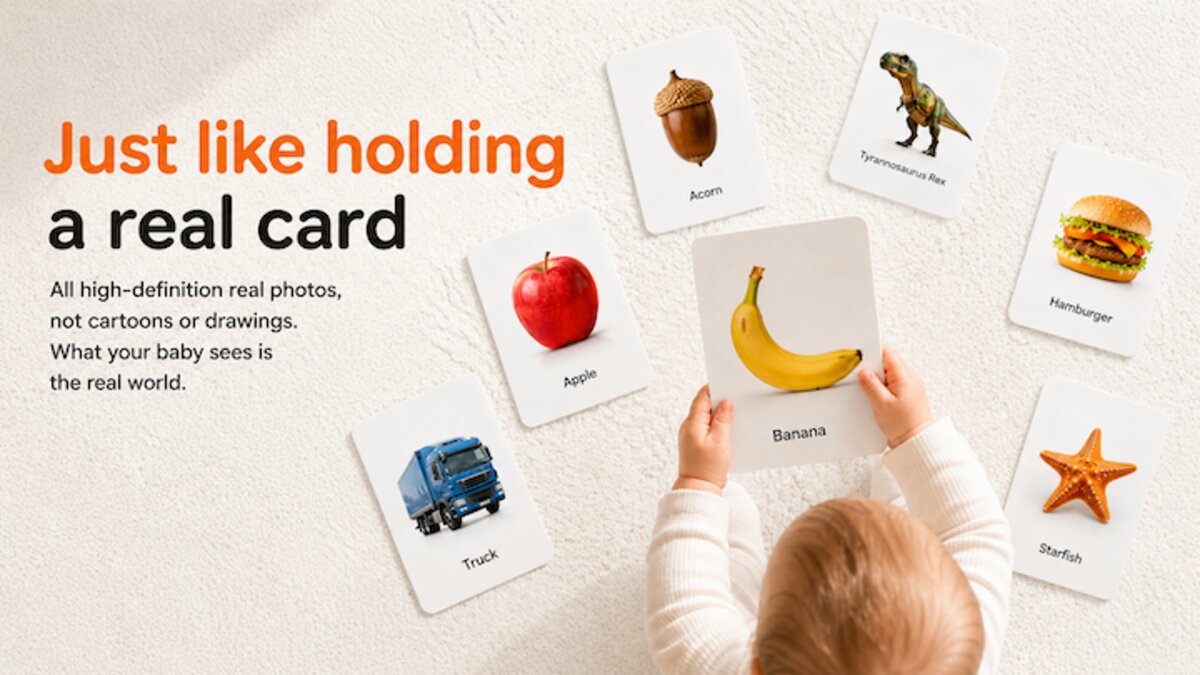
Most flash card apps show you the same generic images. A cartoon apple. A stock photo dog. A clip-art car.
They work, but they miss something important.
Your child's world isn't made of generic images. Their world has your dog, your car, your family members. When a toddler sees a real photo of their own cat instead of a cartoon cat, the connection is instant and meaningful.
That's why Baby's First Cards lets you create custom cards using your own photos and voice recordings. Here's how to make the most of it.
Create custom flash cards with your own photos and voice in Baby's First Cards.
Why Personalized Cards Work Better
A study in early childhood development found that babies recognize and respond to familiar faces and objects as early as 3 months old. When you show them something from their own environment:
- Recognition is faster — their brain has already seen this thing in real life
- Engagement is higher — they're naturally curious about familiar objects
- Memory sticks longer — personal connections create stronger neural pathways
Example: A photo of grandma labeled "Grandma" with your own voice saying "Grandma" is infinitely more powerful than a generic cartoon figure labeled "Grandmother."
What You Can Customize
📷 Your own photos Take a picture of anything in your child's world:
- Family members (mom, dad, grandma, grandpa, siblings)
- Pets (your dog, your cat, the neighbor's bunny)
- Favorite toys (the stuffed bear, the red ball, the yellow duck)
- Everyday objects (your blender, the vacuum, the family car)
- Foods they actually eat (their bowl, their sippy cup, the banana on the counter)
🎤 Your own voice recordings Record yourself saying the word. Your child already knows your voice. Hearing you say "That's a doggy!" in your natural tone creates a stronger learning moment than any studio recording.
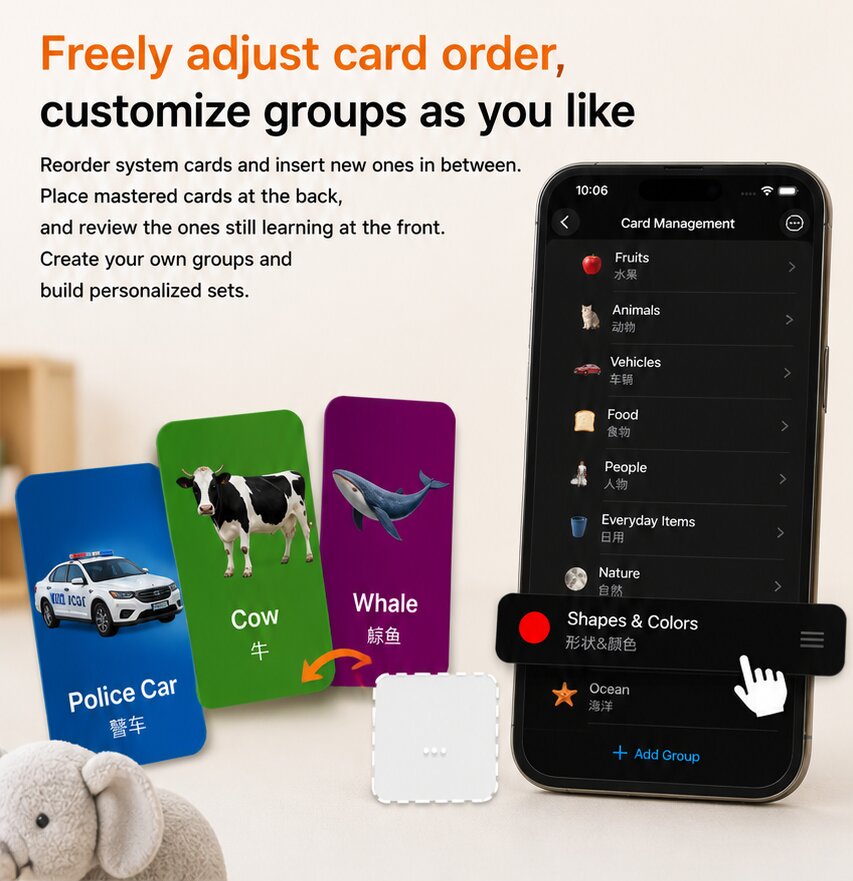
🎨 Custom background colors Choose the background color for each card. Light colors for daytime learning. Dark colors for bedtime quiet time. Whatever helps your child focus.
🔄 Arrange your own order Put the cards in any sequence. Start with their favorite things. Add new cards as your child learns new words.
Step-by-Step: Making Your First Custom Card
Step 1: Open Custom Mode From the main screen, tap the edit button. You'll see options to:
- Delete any built-in card (you can restore them later)
- Add a new card
- Modify existing cards
Step 2: Take or Choose a Photo Snap a photo with your iPhone's camera, or pick one from your photo library. The app automatically crops and optimizes it for the flash card format.
Pro tip: Good lighting and a simple background make the best flash card photos. A close-up of your dog's face on a plain wall works better than a wide shot in a cluttered room.
Step 3: Name the Card Type the word. You can enter it in English, Chinese, or both — Baby's First Cards supports bilingual labels.
Step 4: Record Your Voice Tap the microphone icon and say the word naturally. "This is a cat!" or just "Cat." Your child will hear your real voice every time they tap the card.
Step 5: Save and Play Tap save. Your custom card is ready. Your child can now tap it to see the photo, hear the animal sound (if it's an animal), and hear your voice saying the word.
You can also customize the background color for each card — light colors for daytime learning, dark colors for bedtime quiet time. Whatever helps your child focus. Your custom card is ready. Your child can now tap it to see the photo, hear the animal sound (if it's an animal), and hear your voice saying the word.
Ideas for Creative Card Sets
🥣 The "My World" Set
- Photos of family members with their names
- Your child's own face (they love looking at themselves!)
- Their bedroom, their crib, their high chair
- Their favorite blanket, stuffed animal, pacifier
🐕 The "Our Pets" Set
- Your dog from every angle
- The cat sleeping in different spots
- The fish in the aquarium
- The bird in its cage
🍎 The "I Eat This" Set
- Their actual plate with their actual food
- The fruit bowl on the kitchen counter
- Their sippy cup, their spoon, their bib
🚗 The "We Go Places" Set
- The family car
- The stroller
- Grandma's house
- The playground
iCloud Backup — Your Cards Go Where You Go
Custom cards are backed up to iCloud automatically. When you get a new iPhone or iPad, all your cards are there. No setup. No loss.
This is especially useful for families who share childcare between devices. Mom's iPhone and Dad's iPhone both stay synchronized.
Real Parent Story
"I took a photo of our dog Bailey, recorded myself saying 'Bailey,' and my 18-month-old learned the word in two days. She now points at every dog and says 'Bailey.' We've made custom cards for grandma, grandpa, her stuffed penguin — everything. It's her favorite app." — Sarah, mom of twin toddlers
Comparison: Custom Cards vs. Generic Cards
| Feature | Generic Flash Card Apps | Baby's First Cards (Custom) |
|---|---|---|
| Photos | Stock/cartoon | Your own real photos |
| Voice | Studio recording | Your own voice |
| Personal relevance | None | Your child's actual world |
| Languages | Often single language | Bilingual (EN + ZH) |
| Card order | Fixed | You choose the order |
| Background | Fixed | You choose the color |
| iCloud backup | Varies | Automatic |
| Price | Often subscription | One-time purchase |
| Ads | Frequent | Zero ads |
Getting Started
Ready to create your first custom card set? Download Baby's First Cards and tap the edit button. In 5 minutes, you'll have personalized flash cards that your child will actually recognize and love.
Baby's First Cards — One-time purchase. No ads. No subscriptions. Real photos, real voices, real learning.
